Running Bee
Before we dive in using water as an example to show how to add a molecule, run calculations and retrieve data from the database, we are giving a basic introduction to the different interfaces:
REST-API
The main (and essentially the only) interface to the application
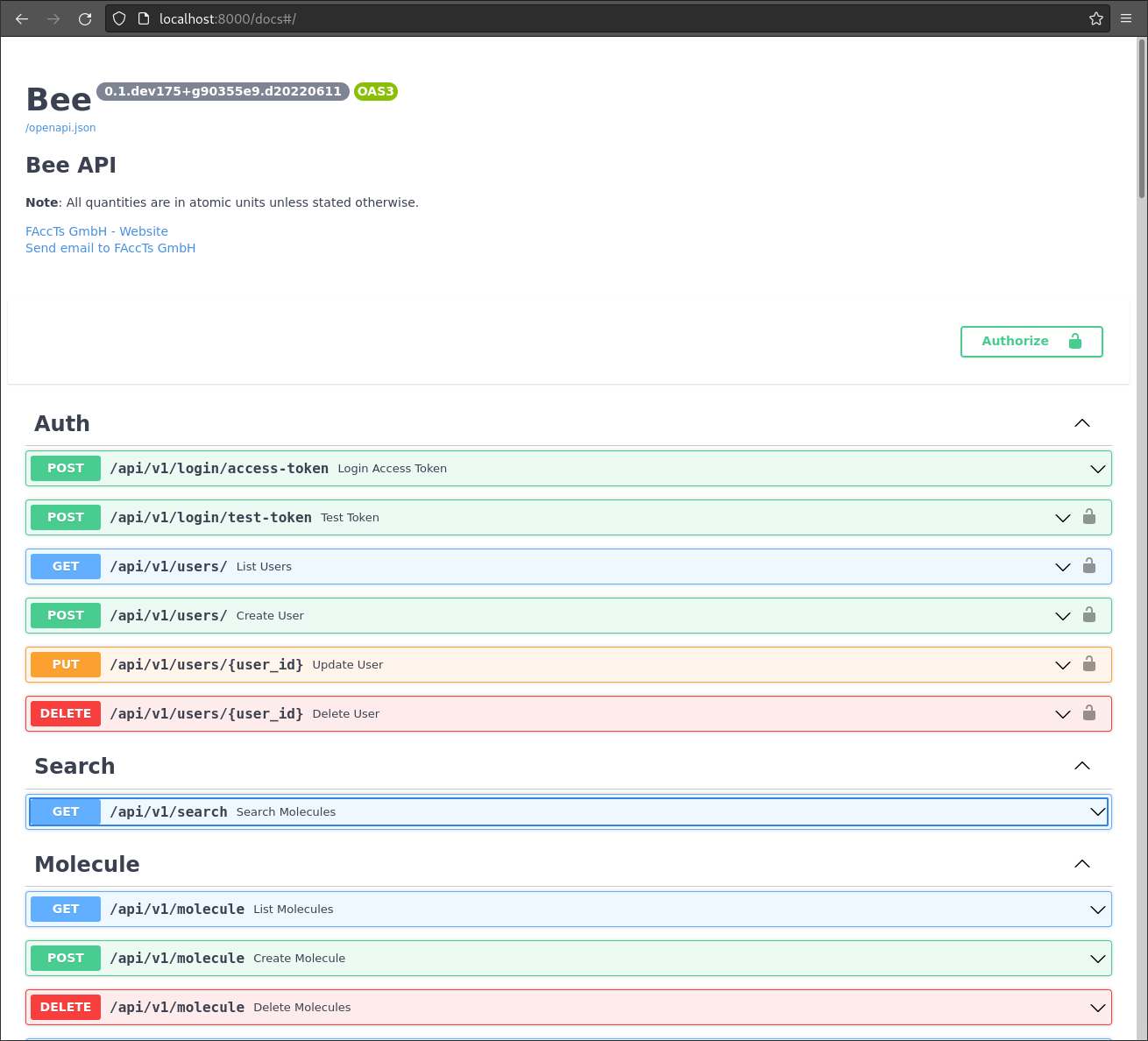
is via its REST-API which is documented
via the OpenAPI specification accessible at http://<HOST>/docs,
e.g. http://localhost:8000/docs:
Note
Via above URL http://<HOST>/docs all REST-API functions are documented
in detail, but the page also supports to execute any of them and give examples
how to run them manually using curl.
Alternatively, there is a ReDoc interface: http://<HOST>/redoc,
e.g. http://localhost:8000/redoc:
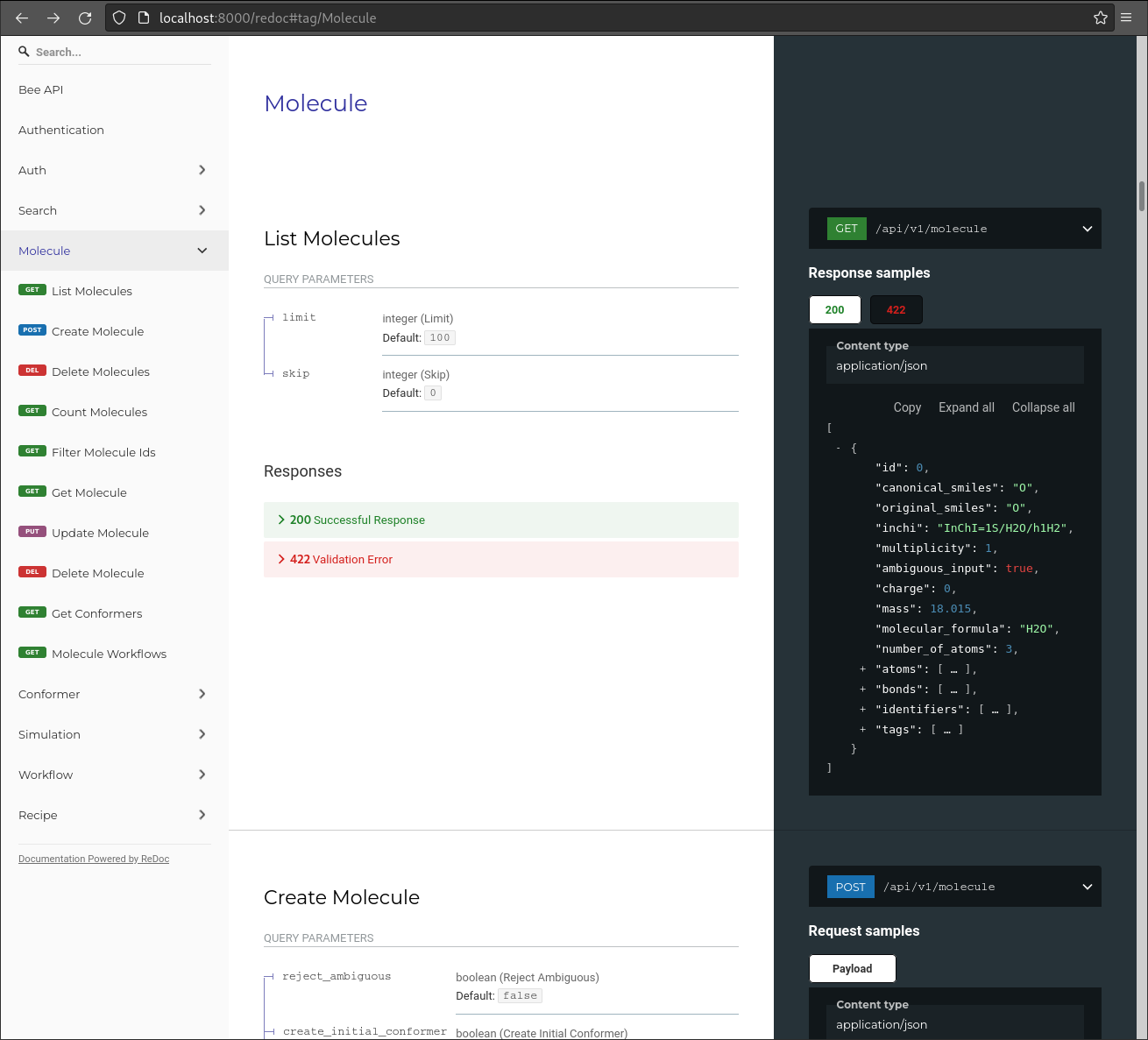
For most of the components described in Architecture there are CRUD
operations (i.e. Create, Retrieve, Update, Delete) available; e.g. a HTTP-POST
call to http://<HOST>/api/v1/molecule adds a Molecule to the
database.
Command-line Interface
Bee comes with a single executable bee for running and managing the
server application. But it also serves as a client to the REST-API and
several orchestration operations:
$ bee -h
Usage: bee [OPTIONS] COMMAND [ARGS]...

  Bee Database Application

Options:
  -c, --config FILE  Path to Bee configuration file  [default:
                     $HOME/.config/bee/settings.yml]
  -d, --debug        Enable debug mode.
  -v, --verbose      Verbose output
  -V, --version      Print version information and exit.
  -h, --help         Show this message and exit.

Commands:
  conformer   Manage conformers
  db          Database setup
  molecule    Manage molecules
  recipe      Manage recipes
  serve       Run the Bee database server
  simulation  Manage simulations
  user        Manage user accounts
  workflow    Manage workflows
The command-line interface with all its sub-commands are
documented using the help option -h.
All the components in the Architecture have a sub-command providing the
basic operations: listing, reading, creating, updating and deleting. E.g.:
$ bee workflow -h
Usage: bee workflow [OPTIONS] COMMAND [ARGS]...

  Manage workflows

Options:
  --url TEXT  Query URL  [default: http://127.0.0.1:8000]
  -h, --help  Show this message and exit.

Commands:
  create  Create workflow
  delete  Delete workflow
  get     Print workflow as JSON
  list    List workflows
  update  Update workflow
Note
bee has also shell completion for Bash, Zsh and Fish. Please source
the included environment files, e.g. env.sh for Bash.
Authentication
yet to come...