Hello Water! Your first WEASEL calculation.
This tutorial gives you a quick start on running calculations with WEASEL. It will guide you through the basic steps of setting up and running your first calculation. It serves as a starting point to familiarize yourself with the software. You will learn about the types of input files that WEASEL accepts. Furthermore, we will discuss the required file formats and provide examples to help you understand how to prepare your input files. We will show you the basic command to start a calculation in WEASEL. This includes creating an input file. Any additional options or parameters required for the calculation will be discussed in later tutorials. At the end of this section, you will also have an overview of the output files you can expect from a WEASEL calculation.
Please note that the above topics will be covered in more detail in subsequent tutorials. This introductory tutorial is intended to provide a solid foundation and set the stage for your journey into performing advanced calculations with WEASEL. Let's get started!
WEASEL input files
WEASEL does not require any input files other than a file containing the structure of the molecule of interest.
Note
WEASEL supports several input structure formats, including .xyz, .mol2, .pdb, .sdf, .mae, .smi (SMILES strings), and .inchi.
The input format also has influence on the output format in which the results are stored, e.g. optimized structures.
Following structure output formats are supported .xyz, .sdf and .mae.
For this tutorial, we will primarily use the .xyz and .smi file formats.
We will start by performing a geometry optimization and an energy calculation on a simple water molecule.
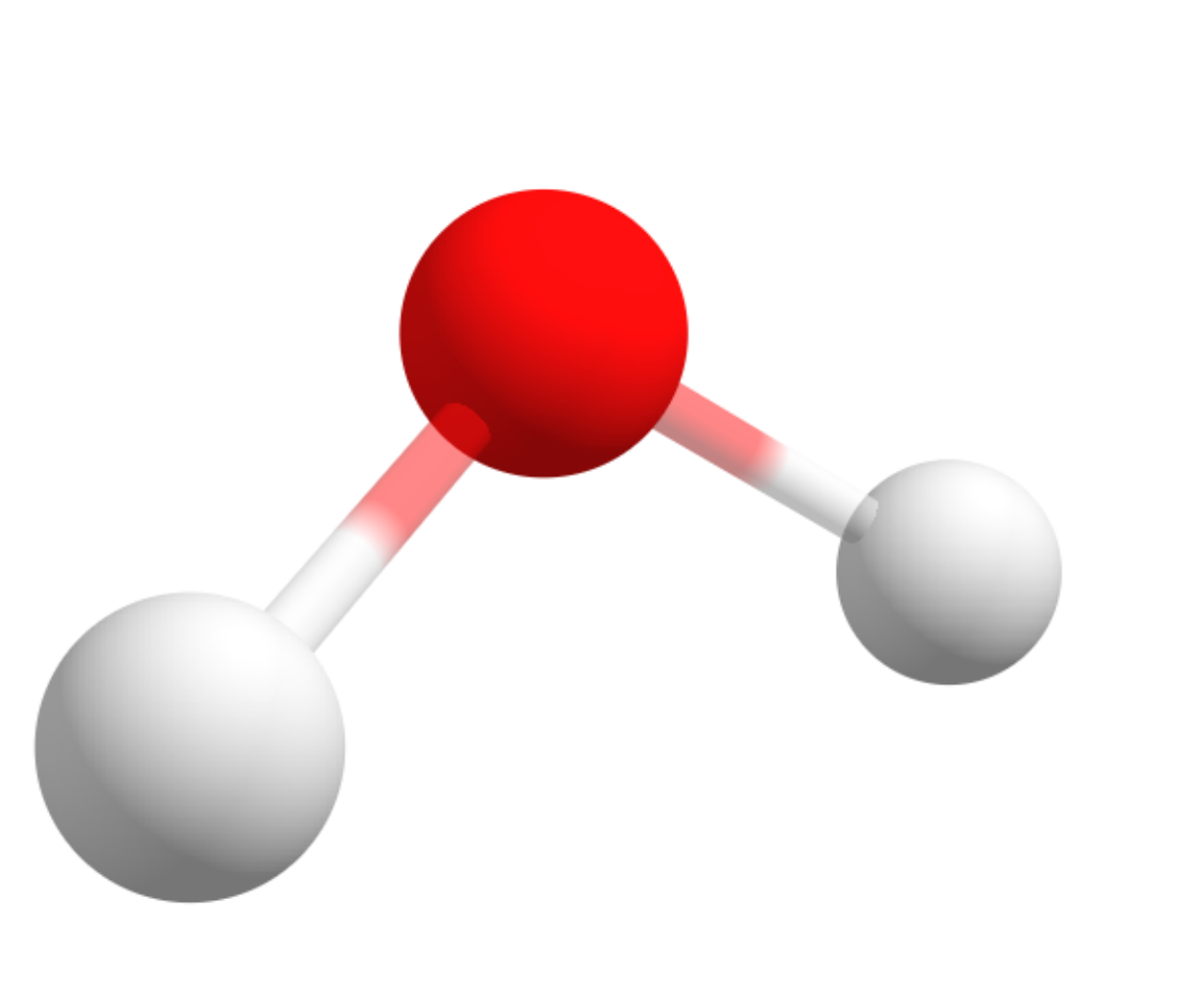
A test water molecule.
You can use XYZ coordinates to represent the water molecule. You can download an example of the a .xyz
file of the structure of the water molecule here.
Note
If you prefer to construct the .xyz file using a molecular builder tool, you can follow our tutorial on building molecules with
Avogadro.
However, any molecular builder that can generate molecular structures can be used.
You can save these coordinates in a file named water.xyz. This file will be used as input for our WEASEL calculation.
Alternatively you could use a .smi file. It should contain simple SMILES strings, such as O to represent a water molecule.
Now that you have your input file ready, let's run the WEASEL calculation.
How to run a WEASEL calculation
To run the WEASEL computation, you can prompt it with the following command in your terminal
weasel water.xyz
This command runs the WEASEL calculation using the input file water.xyz.
If you don't have an input file and want to pass the SMILES string directly from the command line, you can use the following command:
weasel -smiles 'O'
Alternatively, you can use the same SMILES string stored in the water.smi input file:
weasel water.smi
In this case, the SMILES string O is used as the input for the calculation.
Since there is no 3D information in the input file when using SMILES strings,
a 3D structure is generated on-the-fly and saved in .xyz format.
It's important to note that this generated 3D structure is not necessarily the lowest energy conformer; it serves as a first guess.
What happens during a WEASEL calculation
WEASEL is a tool that combines multiple ORCA calculations into a workflow and delivers the results in an accessible way for the problems at hand. By running the above command, WEASEL initiates its basic workflow to optimize the structure of water and evaluate the energy of the optimized structure. Although we will get into the details of different workflows later, the basic steps of WEASEL's process are briefly described to understand what WEASEL does.
As the command is executed, WEASEL provides progress updates, informing us of its current position within the workflow steps. These updates are crucial for tracking the progress of the computations and understanding what WEASEL is doing. Notably, this information is also stored in the report file, which is one of the standard output files generated by WEASEL, ensuring that we have a comprehensive record of the process. The standard output files generated by WEASEL are described below.
Once the computations are underway, WEASEL prints a header that contains the settings used for the simulation. It also indicates if any specific workflow settings are in use:
*************************
     GLOBAL SETTINGS
*************************
Using settings from: /etc/weasel/settings-1.10.ini
In this case WEASEL tells us that it uses the parameters set in the default settings file (settings-1.10.ini) of WEASEL version 1.10.
Then, WEASEL will give you a summary on what tasks it will perform, what general settings it will use for those tasks, and finally, what computations (actions) will be performed in what order to accomplish those tasks:
**************************
     SIMULATION TASKS
**************************
Requesting the following tasks (detailed action list see below):
      I. Preoptimization using XTB
     II. Optimization using r2SCAN-3c
    III. Single Point DFT calculation using wB97X-V with def2-TZVP basis set

General settings:
    DFT calculations are using D3 correction
    Using solvent model CPCM (with COSMO epsilon function) with solvent Water.
    System has charge 0 and multiplicity 1
    Temperature is 298.15 K and pressure is 1.0 atm
    Energy unit in summary file: kcal/mol
    Maximum cores per ORCA calculation: 32
    Maximum cores per numerical frequency calculation: 120
    Compression mode: Disabled

The following actions will be performed:
    1. Preoptimization of 'water' using XTB.
    2. Optimization of 'water' using r2SCAN-3c.
    3. DFT single point calculation of 'water' using wB97X-V with def2-TZVP basis set.
This basic WEASEL calculation for optimizing the structure of water involves three steps. First, a preoptimization is performed with XTB to obtain a reasonable accurate starting geometry for the molecular structure and thereby speed up the overall optimization process. Then a DFT optimization refines the structure. Finally, a single point calculation using a higher level method provides a more accurate energy evaluation.
From the above information you can also see, among other points, information about the conditions under which the properties are calculated, e.g. that these calculation steps are performed in water as a solvent, but also general information such as usage of the widely recommend D3-dispersion correction.
At this stage, WEASEL is ready to start the simulations. In this simple job, we start with a preoptimization as mentioned above:
===  Starting Action 1.  ===
==    PREOPTIMIZATION     ==
============================
Resource allocation: 1 calculation(s),
                     2 total core(s),
                     1 calculation(s) at a time.
Running /share/orca/orca-5.0.4-f.1_linux_x86-64/bin/otool_xtb water_PreOpt.xyz -P 2 --norestart --opt vtight --namespace water_PreOpt --alpb H2O > water_PreOpt.out
WEASEL prints the action it is currently running - preoptimization - the number of calculations this step involves - one -
and how many cores it is running on - two - and how many calculations are running at the same time - one.
For actions which include only a single calculation, WEASEL prints the programs it uses - otool_xtb - as well as the command line arguments provided to that binary.
The output of the program can be found in water_PreOpt.out.
Preoptimization converged!
Adding energy -3190.904223 kcal/mol to summary file.
~~~~~~~~~~~~~~~~~~~~~~~   Result Action 1.   ~~~~~~~~~~~~~~~~~~~~~~~
~~~  Finished in 00:00:0.1                                       ~~~
~~~  Action completed: 1/1 (100%) of Calculation(s) successful.  ~~~
~~~~~~~~~~~~~~~~~~~~~~~~~~~~~~~~~~~~~~~~~~~~~~~~~~~~~~~~~~~~~~~~~~~~
Upon completion of a calculation WEASEL will notify the user about the success (or failure) of the calculation - Preoptimization converged! - and print the energy obtained.
At the end of an action WEASEL will print a summary of all calculations (Result Action 1.) including the duration as well as the success rate.
Note
For actions comprised of several calculations the report will contain less details about individual calculations in order to keep it concise. A summary at the end of the each action (as seen above) will still be provided.
After the preoptimization step, the next step in the workflow is the DFT optimization. The WEASEL report for this step is similar to the previous one. For DFT calculations ORCA is called directly:
===  Starting Action 2.  ===
==      OPTIMIZATION      ==
============================
Resource allocation: 1 calculation(s),
                     2 total core(s),
                     1 calculation(s) at a time.
Starting optimization...
Running /share/orca/orca-5.0.4-f.1_linux_x86-64/bin/orca water_Opt.inp -wdir /tmp/tmp.y1mrU12jHl/water/Opt > water_Opt.out
Optimization converged!
Adding energy -47959.702289 kcal/mol to summary file.
~~~~~~~~~~~~~~~~~~~~~~~   Result Action 2.   ~~~~~~~~~~~~~~~~~~~~~~~
~~~  Finished in 00:00:20.8                                      ~~~
~~~  Action completed: 1/1 (100%) of Calculation(s) successful.  ~~~
~~~~~~~~~~~~~~~~~~~~~~~~~~~~~~~~~~~~~~~~~~~~~~~~~~~~~~~~~~~~~~~~~~~~
Finally, a DFT Single Point (SP) energy calculation is performed using ORCA:
===  Starting Action 3.  ===
==    DFT Calculation     ==
============================
Resource allocation: 1 calculation(s),
                     2 total core(s),
                     1 calculation(s) at a time.
Starting wB97X-V calculation using def2-TZVP basis set...
Running /share/orca/orca-5.0.4-f.1_linux_x86-64/bin/orca water_SP_DFT.inp -wdir /tmp/tmp.y1mrU12jHl/water/SP_DFT > water_SP_DFT.out
SCF converged!
Done!
Adding energy -47968.012940 kcal/mol to summary file.
~~~~~~~~~~~~~~~~~~~~~~~   Result Action 3.   ~~~~~~~~~~~~~~~~~~~~~~~
~~~  Finished in 00:00:5.1                                       ~~~
~~~  Action completed: 1/1 (100%) of Calculation(s) successful.  ~~~
~~~~~~~~~~~~~~~~~~~~~~~~~~~~~~~~~~~~~~~~~~~~~~~~~~~~~~~~~~~~~~~~~~~~
At the end, WEASEL provides a summary of all actions:
####################################     ACTIONS CONCLUDED     #####################################

*************************
     ACTIONS SUMMARY
*************************
3 of 3 actions were completed successfully:
        1: Preoptimization of 'water' using XTB.
    2: Optimization of 'water' using r2SCAN-3c.
    3: DFT single point calculation of 'water' using wB97X-V with def2-TZVP basis set.
And an overview of the runtime of each step:
*****************
     TIMINGS
*****************
Timings for job 'water' (in HH:MM:SS.s)
Overall Time         :  00:00:26.3
------- Individual Timings -------
Preoptimization      :  00:00:00.1
Optimization         :  00:00:20.8
DFT SP calculations  :  00:00:05.1
Time not assigned    :  00:00:00.3


WEASEL terminated successfully on YYYY-MM-DD at HH:MM:SS
Exit code: 0 -> NORMAL_EXIT
WEASEL output structure
During the WEASEL job, several folders and files are created, in addition to the report file introduced earlier. These files are organized under the mainjob directory, which is located in the current working directory (CWD). The mainjob directory contains essential simulation files, such as optimized structure files, the report file, and a summary file, as well as subdirectories for the various actions of the WEASEL job, while the CWD itself does not directly store any simulation files. This organizational structure helps keep the files organized and easily accessible for analysis and further processing.
The file structure with all standard files available is shown below:
.
├── water.xyz
└── water
    ├── water.input.xyz
    ├── water_Opt.xyz
    ├── water.report
    ├── water.results.xyz
    ├── water.summary
    ├── BuildTopo
    │   └── water_BuildTopo job files
    ├── PreOpt
    │   └── water_PreOpt job files
    ├── Opt
    │   └── water_Opt job files
    └── SP_DFT
        └── water_SP_DFT job files
Mainjob directory
By default, the name of the mainjob directory corresponds to the stem of the structure input file, in this example "water".
Note
The default mainjob name can be extended with labels using the -label argument.
An example of when this can be useful is when you want to run multiple simulations on a single structure input,
but using different solvents.
Action directories
The individual actions are run in subdirectories of the mainjob directory.
In this job we have PreOpt, Opt, and SP_DFT action directories.
The Setup directory contains files used to build the initial topology of the input structure(s).
After an action has been completed, WEASEL cleans up the corresponding action directory and copies important files to the mainjob directory.
Note
DFT and wave-function (WF) calculations can result in large output files.
The size of these files mainly scales with the size of the structure calculated.
In order to compress such large files automatically, add following option to the to
[OUTPUT] section of the your settings file Compression = Files (see Defaults Settings: for more details).
Important
If a WEASEL job cannot be started, e.g., because the structure input file is not available or the command line arguments cannot be identified,
no mainjob directory is created.
However, WEASEL will still try to provide information about what happened to the job and will create an emergency report-file
(e.g. water.report) and - if possible - an emergency error-file (e.g. water.error) file in the CWD using the stem of the structure filename.